SUD Error#3043 errors occur when our servers loose contact and synchronisation with each other which can occur for any number of reasons and SUD suffers as a consequence. Your Remote Desktop connection may freeze and/or reconnect at the same time or you might notice a general slowness and lack of response to mouse and keyboard. There is nothing I nor the SUD application can do to mitigate this. These errors messages are generated by Microsoft Access, the underlying application for SUD.
The only way to reconnect and regain stability is, as the error message suggests, to close SUD and restart it. You may think you’ve been lucky when a few more clicks of the mouse appears to re-establish the connection and SUD “starts working” but it will come back to bite you later. Much better is a controlled manual restart, it doesn’t take long.
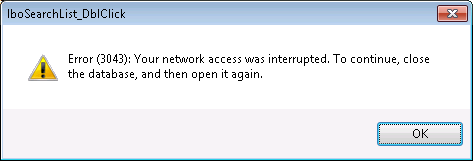
Leaving SUD running leaves it susceptible to these 3043 type errors. If the servers have a wobbly moment whilst you’re away at lunch, you will return to find that you get a 3043 error message even though the condition has passed. I’d recommend good practice is to close SUD when not using it for an extended period.
SUD has an inactivity timer built in which will quit the application after 75mins of inactivity, under normal operating conditions. Error#3043 conditions could well prevent Auto closure, so please don’t rely upon it to close SUD, manually quit SUD when you know you are away for an extended period.